No, it won’t cost you extra
Your plan price is all you ever pay. A travel eSIM works by roaming: it’s a SIM from one network that’s allowed to use the networks at your destination, and Data Roaming is simply the setting that lets your phone do that. Leaving it off doesn’t save money; it keeps you offline. The setting that does cost money is Data Roaming on your home SIM. Keep that one off, and your home carrier can’t charge you a cent.Turn it on for the Roamly line
- iPhone
- Android
1
Open Settings → Mobile
Older iPhones say Mobile Service or Mobile Data; some regions say Cellular.
2
Tap your Roamly line under SIMs
It’s the one you labelled when installing, often Travel; iOS may add the network name after it.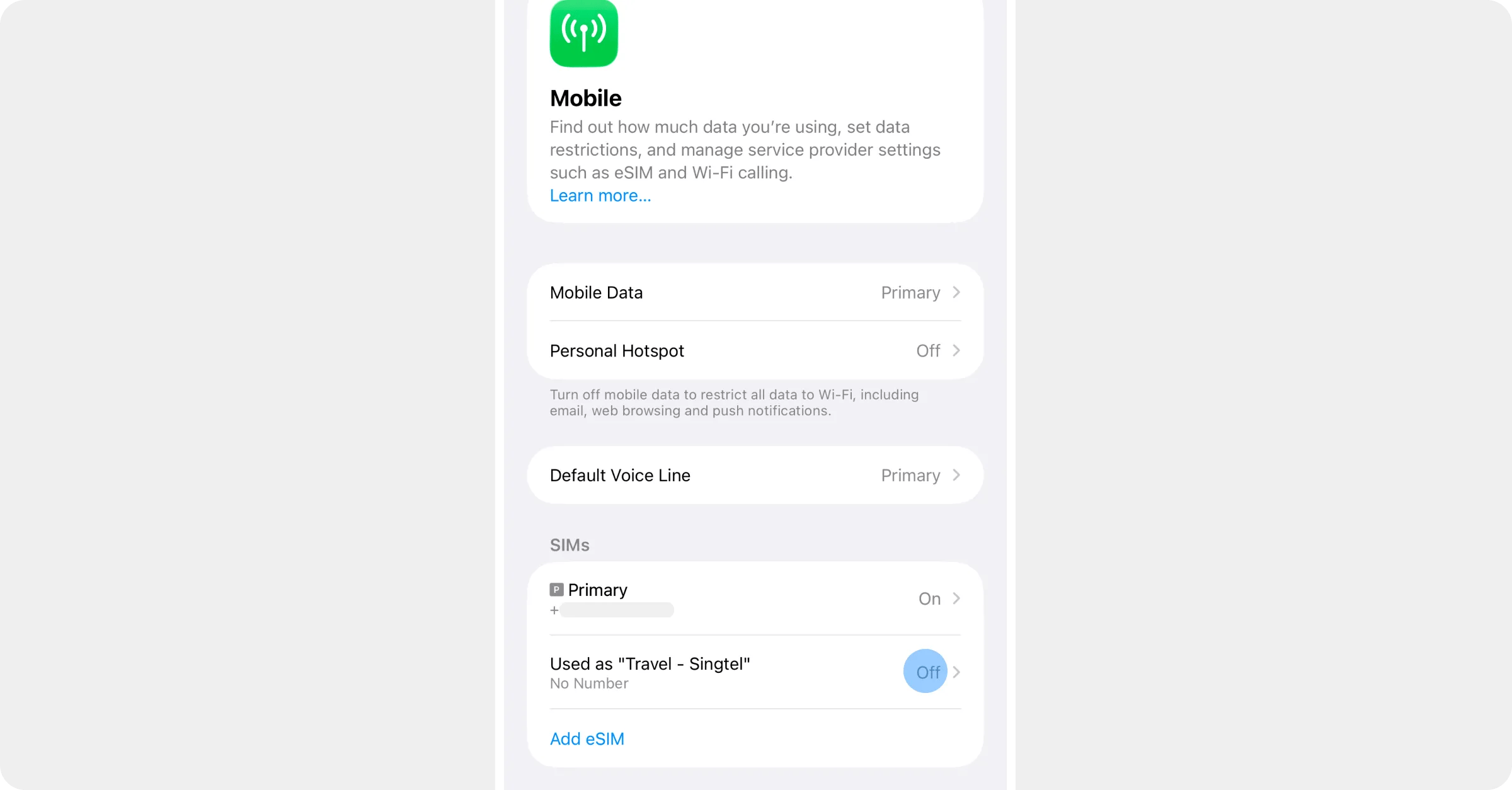
3
Turn on Data Roaming
Make sure Turn on this Line is on as well.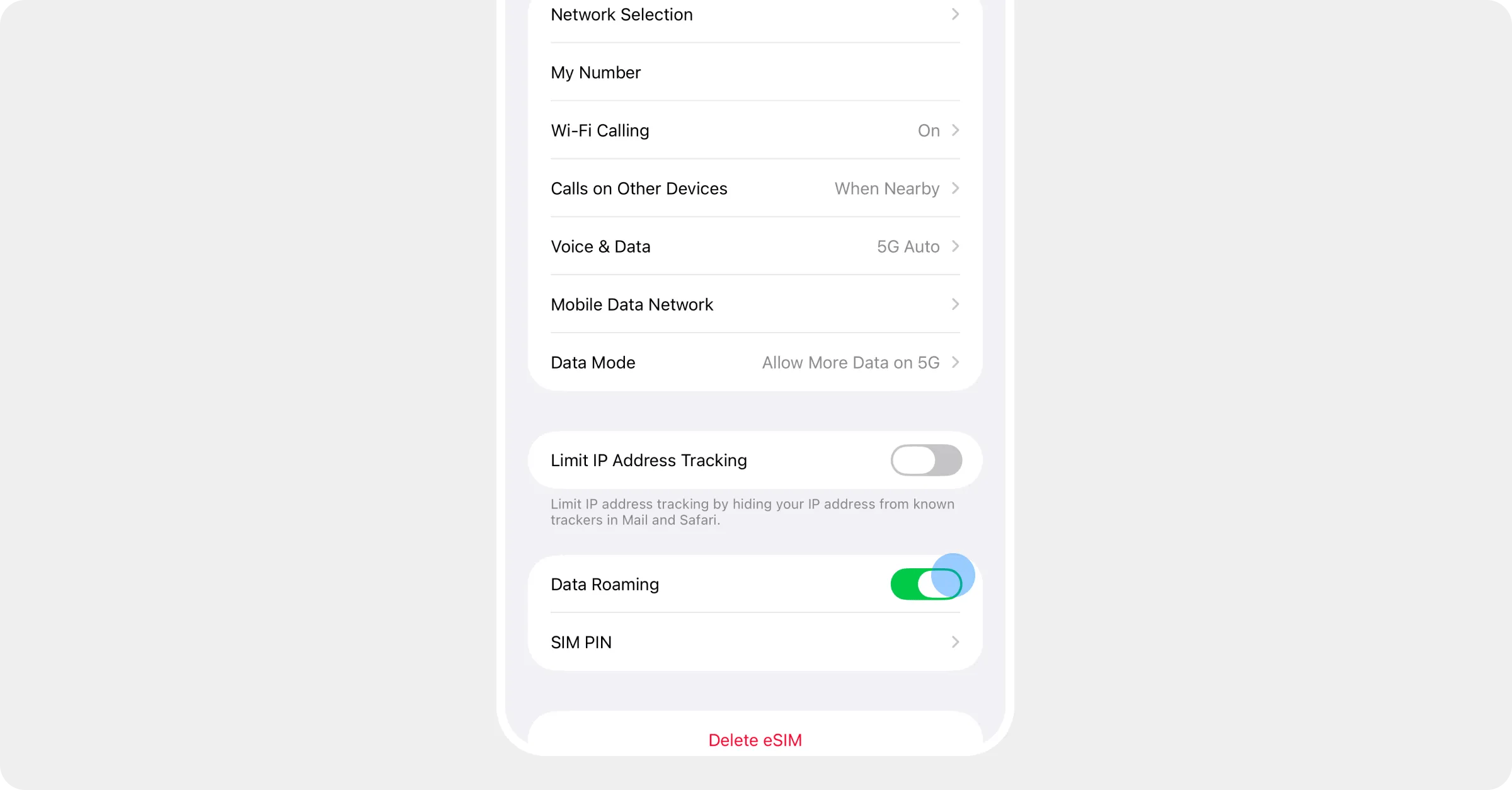
4
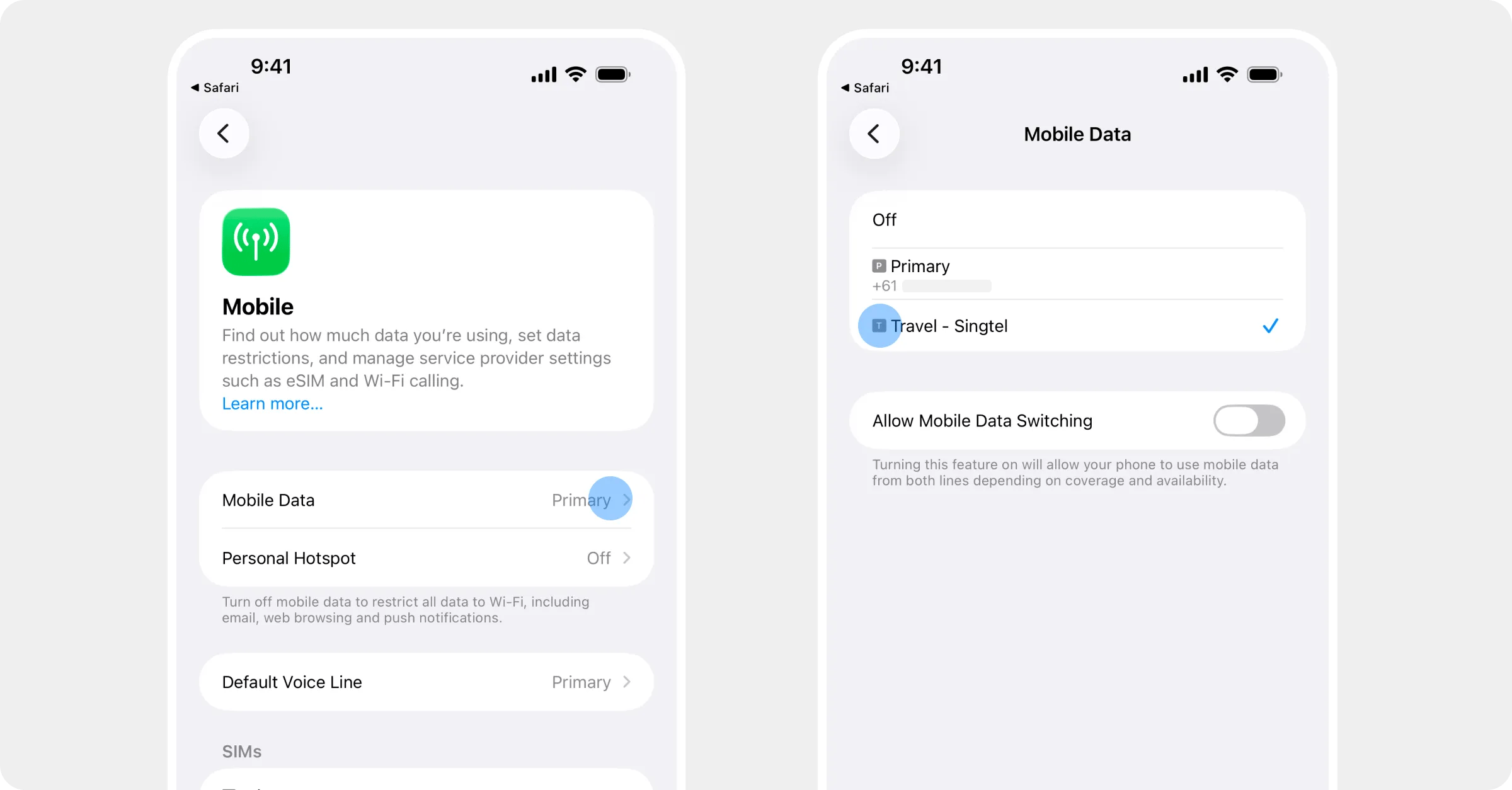
Check the data line
Back in Mobile, tap Mobile Data at the top and choose the Roamly line. Leave Allow Mobile Data Switching off, so the phone can’t quietly fall back to your normal SIM.