
Docs / Managing Your eSIM
How to Check Your Data Usage
Keep tabs on how much data you've used and how much you've got left.
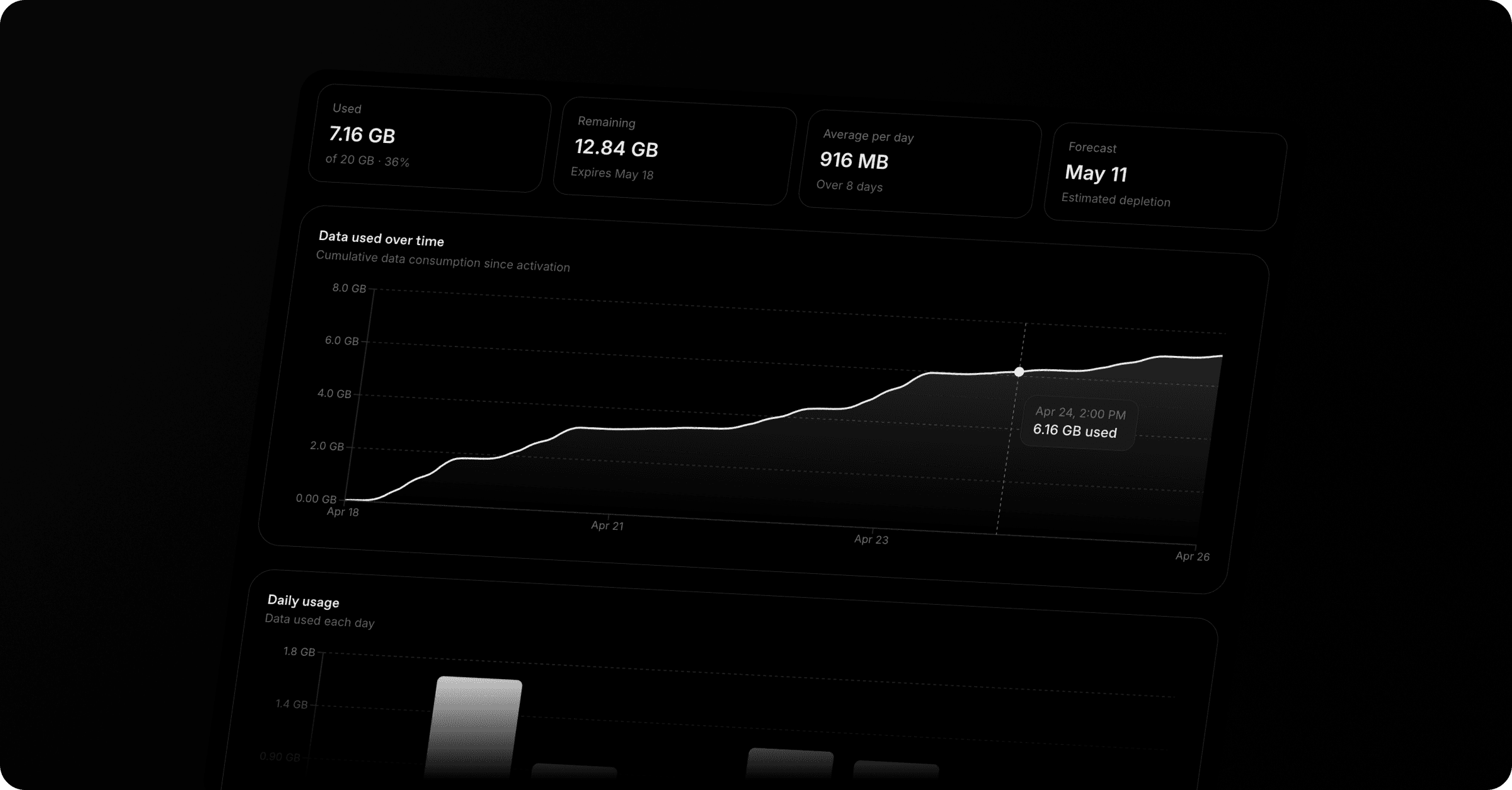
Whether you're halfway through your trip or just want to make sure you're not burning through data too quickly, you can check your usage at any time from your Roamly account — and now with detailed charts and a smart forecast, you'll know exactly where you stand.
Steps
Log in — Go to onroamly.com/my-esims and log in to your Roamly account.
Find your eSIM — You'll see all your eSIMs listed with their current status.
Open your eSIM — Tap on any active eSIM to see your current usage at a glance: data used, data remaining, and days left on your plan.
View detailed usage — Tap "View detailed usage" to dive deeper.
What's on the detailed usage page
Used / Remaining / Average per day / Forecast — Four quick stats so you know exactly where you stand without reading any charts.
Data used over time — A cumulative chart showing every snapshot since activation, with your plan limit drawn as a clear reference line. Hover any point to see the exact figure.
Daily usage — A bar chart showing how much you used each day. Spot the heavy days (streaming, video calls) versus the quiet ones (offline at the beach).
Smart forecast — Based on your average usage so far, we estimate when you'll run out. If your plan will expire before depletion, we'll tell you that too — so you only top up when you actually need to.
How often is it updated?
Usage data refreshes automatically every hour while your eSIM is active. There's nothing to refresh manually — just check back when you're curious.
Running low?
If your plan supports top-ups, you can add more data directly from the eSIM detail page — no need to buy a whole new plan. See How to top up your eSIM for details.
Was this helpful?